Blogs
We provide online programming courses and tutorials suitable for all levels.
Avoid These Relationship Errors in Power BI. Before They Break Your Reports
Published on 02 Nov 2025
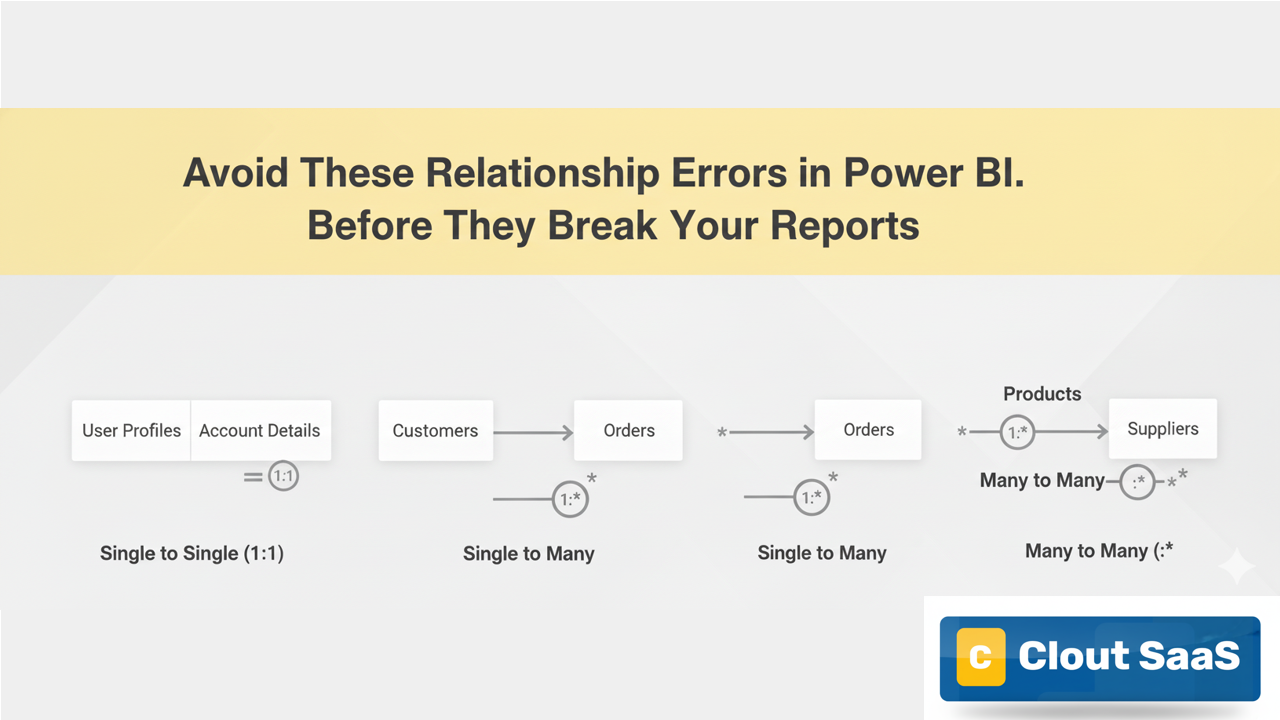
When working in Power BI, relationships define how tables connect and share data. Choosing the right type ensures accurate visuals and calculations. Misusing them, however, can cause wrong results or performance issues.
🔹 Single to Single Relationship
In a Single to Single relationship, each value in one table corresponds to exactly one value in another table.
Example:
An Employee table linked to an EmployeeDetails table using EmployeeID.
Use Case:
Perfect when both tables have unique keys.
Avoid Scenarios:
-
Avoid using Single to Single when both tables contain duplicate keys.
-
Avoid this relationship for transactional or repeating data (like Sales, Orders).
-
Avoid using it if either side will later expand into multiple entries — switch to Single to Many instead.
🔹 Single to Many Relationship
In a Single to Many relationship, one record from a master table connects to multiple records in a related table.
Example:
A Customer table connected to a Sales table using CustomerID.
Use Case:
Ideal for master-detail or dimension-fact table connections.
Avoid Scenarios:
-
Avoid creating Single to Many when both tables contain repeating IDs (it will cause ambiguity).
-
Avoid linking two transactional tables (like Sales and Payments) directly with this cardinality.
-
Avoid using text or non-unique columns as relationship keys — always prefer unique numeric IDs.
🔹 Many to Many Relationship
A Many to Many relationship allows multiple matches on both sides of the relationship.
Example:
A Students table and Courses table, where a student can join many courses and each course can have many students.
Use Case:
Used when both tables share non-unique values and need a bridge table or Power BI’s Many-to-Many relationship.
Avoid Scenarios:
-
Avoid Many to Many without a bridge table when large datasets are involved — it can slow performance.
-
Avoid using this relationship if your data model can be restructured into simpler One-to-Many connections.
-
Avoid building measures that depend on implicit filters across Many to Many tables — results may be unpredictable.
🔹 Self-Relationship
A Self-Relationship links a table to itself using a related column.
Example:
Employee table where ManagerID connects to EmployeeID.
Use Case:
Helps build hierarchies like Manager → Employee or Parent → Child.
Avoid Scenarios:
-
Avoid circular hierarchies (e.g., Manager reports back to Employee).
-
Avoid creating multiple self-relationships that confuse hierarchy paths.
-
Avoid using non-unique or nullable columns for self-linking.